Package Name:com.lockscreenios.iphonestyle
Show More

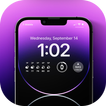
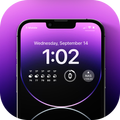
Create an iOS-style lock screen with widgets, wallpapers, and passcode
📱 Create an iOS-style lock screen with custom widgets, wallpapers, notifications, and an optional passcode.
✨ Personalize your lock screen
• 🖼️ Choose from built-in wallpapers or use images from your device.
• 🎞️ Set supported video wallpapers as live wallpapers.
• 🎨 Adjust the lock screen’s font and accent color.
• 🧩 Build and save lock screen layouts that match your style.
🕒 Add useful widgets
• 📅 Display time and date in different formats.
• ☁️ Add weather widgets with current conditions.
• 🔋 View device details such as battery, storage, and memory.
• ✍️ Add custom text or a daily quote to your layout.
🔔 Stay connected
• 📬 Show supported app notifications on the custom lock screen.
• 🎵 View media information and playback controls when available.
• 🔐 Enable an optional 4-digit passcode for the app’s lock screen experience.
⚙️ Make it yours
• 🖌️ Pick from multiple lock screen designs and customize each one.
• 📱 Preview your layout before saving it.
• 🔄 Start the lock screen service again after device restart when enabled.
🔑 Permissions and compatibility
• 🔔 Notification access is needed to display notifications and media information.
• 📍 Location permission is needed for weather based on your current location.
• 🖼️ Photo access is needed when selecting images from your device.
• 🪟 Display-over-other-apps permission is needed to show the custom lock screen.
• 🎞️ Live wallpaper availability depends on your Android device.
• 📱 Some lock screen, notification, and system behavior can vary by Android version and device manufacturer.
If you love our application, please rate for this app 5 stars, Don’t forget to share the app to your friends.
Thank you so much for downloading and using the “Lock Screen iOS 26” application.



One-click to install XAPK/APK files on Android!

Thanks for your rating and feedback!
You have already rated.