Package Name:com.southern.clockwidget
Show More

19.6 MB
File Size
Everyone
Android 7.0+
Android OS
A collection of beautiful designed widgets with fully customizable.
A collection of beautiful designed widgets with fully customizable. Make yourself a light, beautiful, simple designed widget that blends into your phone wallpaper!
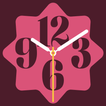
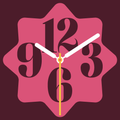
Material Clock Widget:
1. Beautiful material clock widget with fully customizable: Easily customize clock widget with color, clock face, clock hands customizations.
2. Material design application: The application is designed in material design style, giving you an easy-to-use experience.
3. Wallpaper color: this feature get the wallpaper color and apply it to the material clock widget.
Tiny Icons Widget:
Use to open all the application by clicking small icons.
1. Multiple design styles: Nokia old phone widget, smartphone. You can interact with widgets right on the home screen like pressing the number keys if you choose Nokia style.
2. Your mobile home screen looks unique.
3. All the apps you will get in one click.
4. Customize to your liking: you can customize the app icon size, app name size and color, hide or show the app name, background color and widget transparency.
5. You don't need to go into the app drawer to quickly open the app you need.
Material Photo Widget:
A Home Screen widget to display your favorite photo. It's easy and simple to add a new widget with your photos. Start from the app or directly from the home screen widget browser on your preferred launcher. You can easily choose the image shape you want, customize whether to display borders or not, and choose your favorite border color.
Emoji Battery Widget:
Display battery percentage right on the home screen in the cutest possible style. With Emoji Battery Widget, you can choose your favorite battery icon, favorite emoji icon as well as freely customize the size and color according to your style.
Digital Seconds Widget:
Widget time with seconds, beautiful clock widget with digital seconds clock.
Flip clock widget:
Numerous theme color schemes, support second display, support 12-hour and 24-hour display.
Thank you for using Southern Studio's application. Please feel free to send any comments or suggestions to: [email protected]



One-click to install XAPK/APK files on Android!

Thanks for your rating and feedback!
You have already rated.