Safe & Fast APK Downloads on APKPure
APKPure uses signature verification to ensure virus-free Mossy Grey - Layers Theme APK downloads for you.

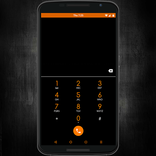
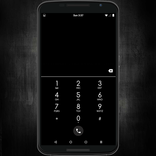
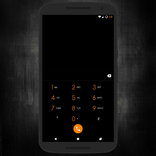
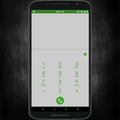
A grey/green theme for use with ROMs that support Layers/RRO.
Disclaimer: You must use a ROM that fully supports Layers/RRO theming!!!
MUST BE ROOTED and have the Layers Manager app!
*Most layers should work on mdpi to xxxhdpi phones that are using compatible ROMs with Layers.
For more information on the Layers project, go to the XDA thread for Official Layers and Bitsyko Apps at http://goo.gl/e6aZBL!
Also, check out the Official Webpage and Forum for Layers at http://www.bitsyko.com!
Installation Instructions:
1) Download the app
2) Install the app
3) Go in your app drawer and open the app
4) Click on "Install Mossy Grey Free"
5) It'll open the Layers Manager app and automatically install mossygreyfree.zip to /sdcard/Overlays (it'll create it if you don't have it already).
6) Click "Layers Installer"
7) Scroll down to find the "Overlays" folder (within that location, you should find the mossygreyfree.zip.
8) Click the mossygreyfree.zip and install individual apks or the whole theme as you normally would within the Layers Manager app.
9) Reboot (you can choose soft reboot if your ROM supports it)
10) Love yourself some Mossy Grey!
Applications Themed:
- AOSP Browser
- AOSP Keyboard
- Calculator
- Contacts
- Desk Clock (just a few black touches)
- Dialer
- Framework
- Gmail
- Google Messenger
- Google+
- Google Keyboard (change to Dark or Light Material in Google Keyboard Settings)
- Google Now (Velvet)
- Hangouts
- Inbox
- Lock Clock
- Play Music
- Play Store
- Settings
- SuperSU
- SystemUI
- YouTube



One-click to install XAPK/APK files on Android!

Thanks for your rating and feedback!
You have already rated.