
Package Name:dev.omalauncher
Show More

Omarchy themes, widgets and faces, with Arch Linux and agents you can talk to
Omalauncher is a keyboard-friendly home screen that brings the look of Omarchy to Android, and can run a full Arch Linux ARM system next to your phone apps.
THEMES
Pick from 22 Omarchy themes: Tokyo Night, Catppuccin, Gruvbox, Nord, Rose Pine, Kanagawa, Everforest and more. Each theme colors the whole launcher and comes with its own wallpapers, which you can also use as a live wallpaper.
HOME SCREEN, WIDGETS AND FACES
• Pages of widgets and pinned apps on a grid
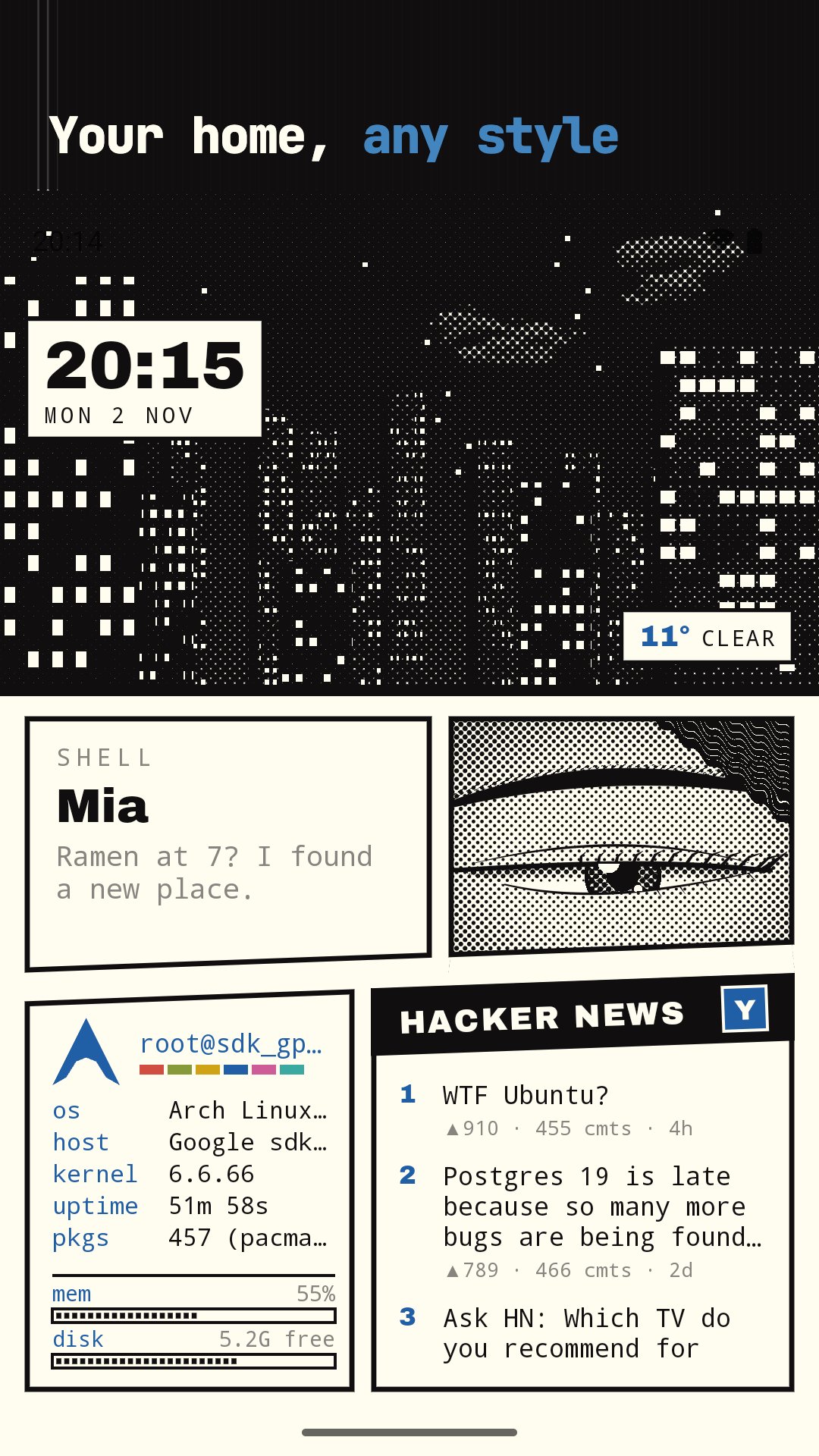
• Built-in widgets for the date, the weather and your system
• Faces: a whole page drawn as one piece, like a manga page, a terminal or a Bauhaus poster
• A store with widgets, faces, small apps and games, written in a small open language you can edit yourself
• An app drawer with search for all your Android apps
ARCH LINUX (OPTIONAL)
The launcher works without it. If you want it, Omalauncher downloads Arch Linux ARM and runs it with proot, without root.
• Linux apps open as their own windows, each with its own card in Recents
• Omalauncher is the Wayland compositor, so graphical apps like foot work
• Search and install packages from Arch Linux ARM and the AUR
• Terminal widgets that run commands on your home screen
• Files, a file manager for the Linux home folder and the phone folders you pick: copy, move, rename, delete, open and share files
• Your theme is applied to the Linux apps too
CODING AGENTS
With Linux installed, the prompt bar at the bottom of the home screen sends a prompt to a coding agent such as Claude Code, Codex, Copilot, Grok or opencode, which opens in a terminal. An agent can also make a widget for you.
VOICE
Tap the voice button and talk to your coding agent. It answers out loud, shows what it's doing and asks before it runs a command or changes a file. Rather type? Switch to typing and read the replies. Speech is recognized by Android, so only the text reaches Linux.
KEYBOARD SHORTCUTS
With a hardware keyboard: Super+T opens a terminal, Super+D the drawer, Super+1 to 9 switch pages and Super+W closes a window.
LANGUAGES
English, Bahasa Indonesia, Español, Português, Deutsch and 简体中文.
PRIVACY
No account, no ads, no tracking. Omalauncher only connects to the internet to download themes, widgets, weather and, if you choose, Linux and its packages.
Omalauncher is an independent project and is not affiliated with Omarchy or Arch Linux.




One-click to install XAPK/APK files on Android!

Thanks for your rating and feedback!
You have already rated.