Package Name:com.intellectx.pdftool
Show More

Edit PDF text offline, merge, compress, scan, sign & protect: 30+ PDF tools
PDF Super Tools lets you edit PDF text, merge, split, compress, scan, sign and protect files offline — every tool runs on your phone. No uploads, no account, no daily limits, no watermarks.
✏️ Edit
• Edit PDF text: tap any line to change it — same position, size and style
• Select and copy text: long-press a line, drag, tap Copy
• Add text anywhere and white out mistakes
• Draw & highlight with pen, marker and highlighter
• Add an image, logo or stamp to one page or every page
• Header & footer with page number, date or file name
📑 Organize
• Merge PDFs in any order
• Split by page ranges, every N pages or every page
• Remove or extract pages from a thumbnail grid
• Remove blank pages automatically
• Reorder, rotate, duplicate and delete pages, insert blank pages
• Scan paper to PDF with automatic edge detection, crop and clean-up filters
⚡ Optimize
• Compress PDF with three levels and a clear before/after size
• Enhance scan: B&W, grayscale or auto colour — removes shadows and yellow paper tint
• Repair damaged files
• OCR: make scanned pages searchable and selectable, on your phone
🔄 Convert
• Word (DOCX) to PDF — headings, lists, tables and pictures
• Excel (XLSX) — every sheet as a clean, paginated table
• PowerPoint (PPTX) — one page per slide (basic layout)
• Images (JPG, PNG, HEIC) with page size, margins and clean-up filters
• Text in any language — Hindi, Tamil, Bengali and more
• Web page with sharp, selectable text
• PDF to JPG/PNG, extract images, PDF to Text or Markdown
📄 Pages & forms
• Page numbers in 6 positions and 4 styles
• Watermark (CONFIDENTIAL, DRAFT, PAID…) with live preview
• Crop margins, fill forms and flatten them
• Edit title, author and keywords
🔒 Security
• Sign: draw a signature once, then place, resize and rotate it anywhere
• Protect with an AES-256 password and set print, copy and edit permissions
• Unlock files whose password you know
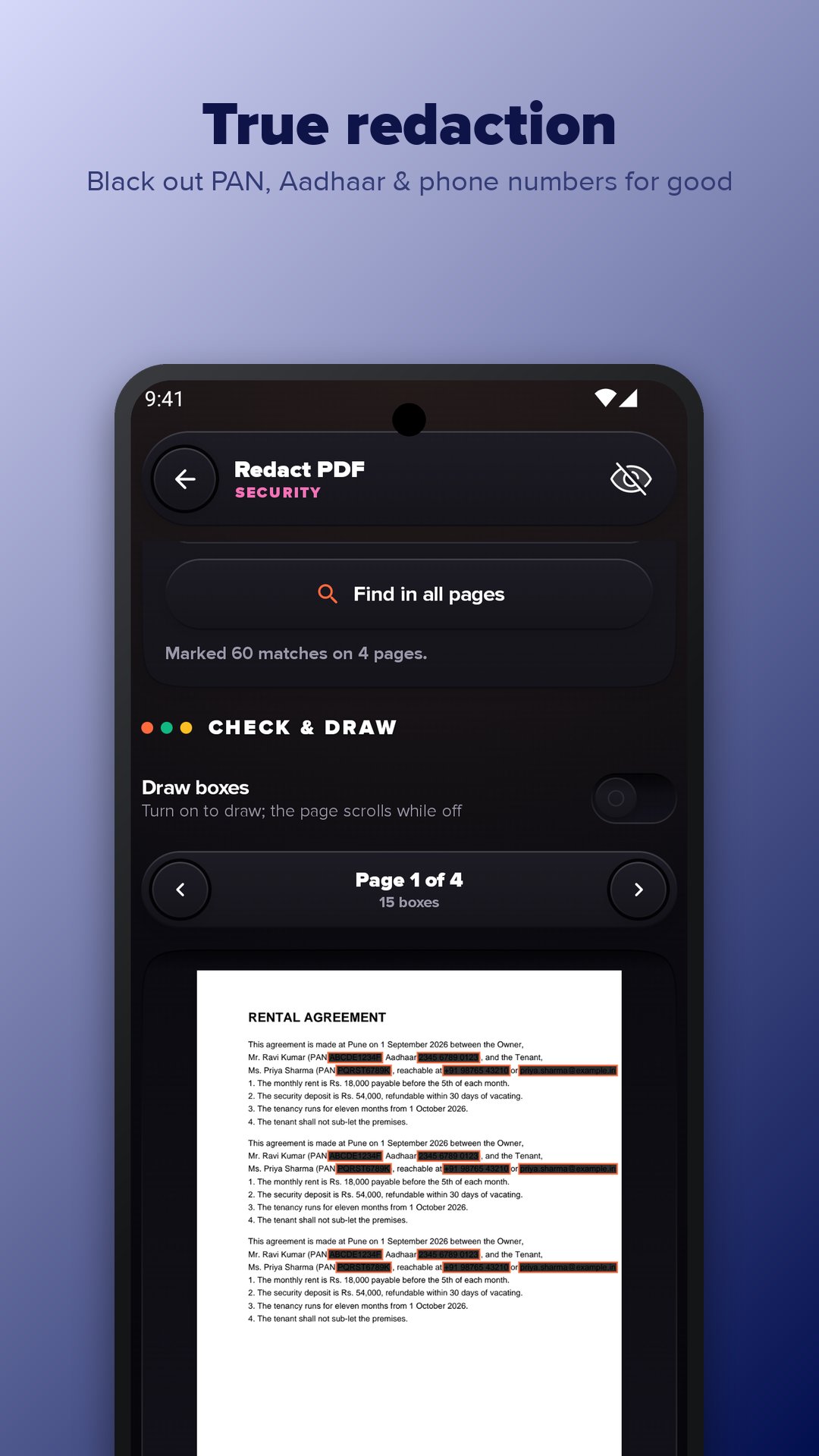
• True redaction: black out PAN, Aadhaar, phone numbers, e-mails or any word — the hidden text is removed, not just covered
• Compare two versions line by line
📱 Built for everyday use
• Open a PDF from WhatsApp, Gmail, Drive or Files with PDF Super Tools, or choose "Edit PDF" to go straight to editing
• Open a Word, Excel or PowerPoint file to turn it into a PDF
• Chain tools: Scan → Enhance → OCR → Protect without picking the file again
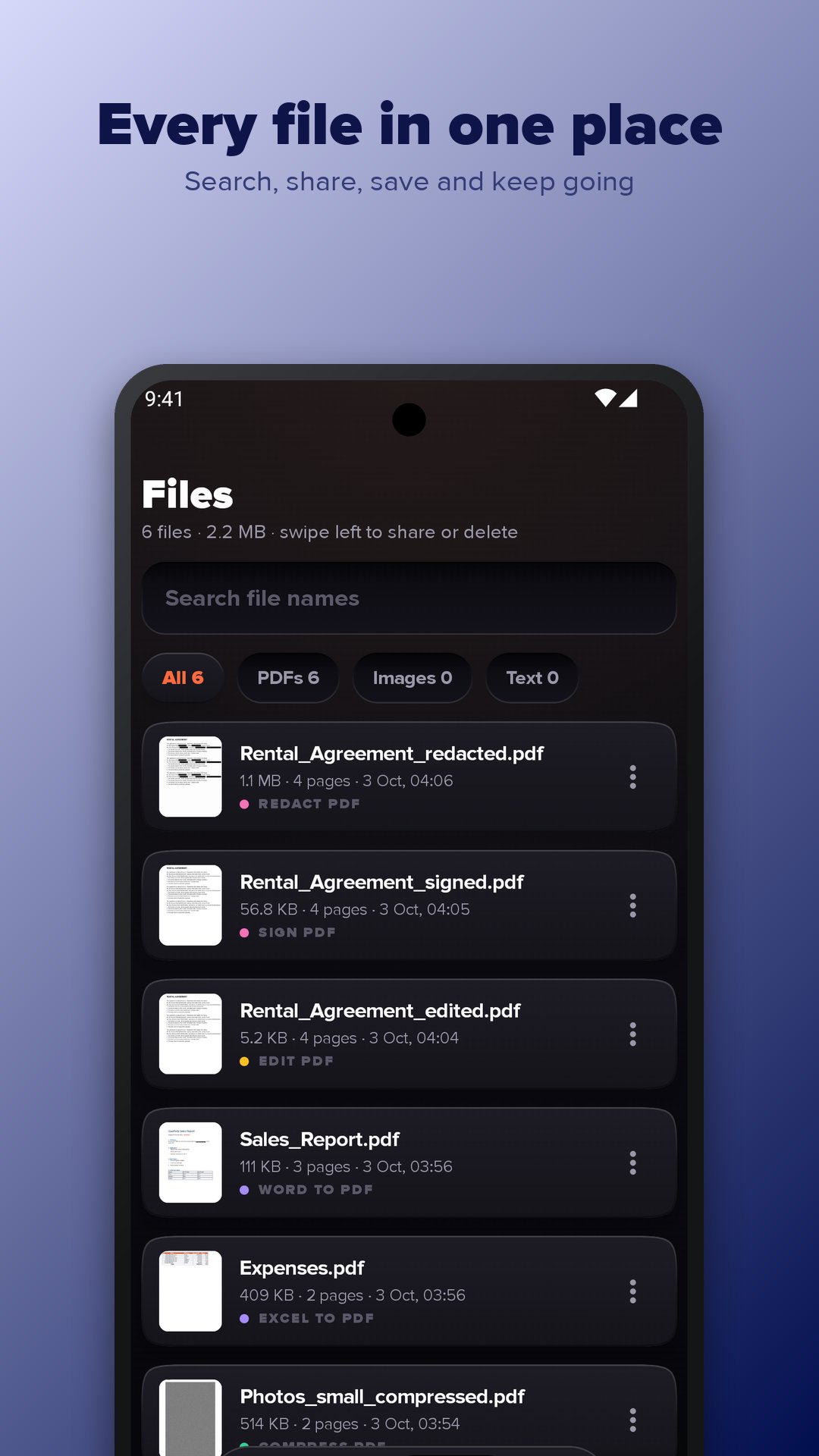
• Files library with search, share, save to phone or Drive, rename and undo
• Day, Night and Auto themes
Who it is for
• Students: scan notes, merge assignments, compress files to fit upload limits
• Office work: convert Word and Excel, sign agreements, add a watermark
• Anyone sharing ID copies: redact numbers and add a password before sending
How to use
1. Pick a tool on Home, or open a file from another app.
2. Choose your file and settings.
3. Tap the button, then share, save to phone or Drive, or send it to the next tool.
FAQ
Does it work offline? Yes. Editing, converting and OCR need no internet; only Web page to PDF and ads go online.
Are my files uploaded? No. Files are processed on your phone and leave it only when you share or save them.
Can I edit the existing text in a PDF? Yes — tap a line and type; it keeps the original size and position.
How do I make a PDF smaller? Use Compress, pick one of three levels and see the new size before saving.
Can I remove a PDF password? Yes, with Unlock, if you know the password. It does not crack passwords.
Which languages does OCR read? Latin-script languages such as English, Spanish, French and German.
Is a drawn signature a digital signature? No. It is a simple electronic signature, fine for most forms, not a certificate-based digital signature.
Is PDF Super Tools free? All tools are free, with ads. Remove ads with a one-time purchase or Premium.




One-click to install XAPK/APK files on Android!

Thanks for your rating and feedback!
You have already rated.