Package Name:io.photoclock.widget
Show More

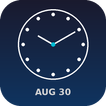
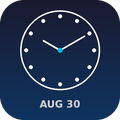
Beautiful clock widget with photo backgrounds. Customize time, date & style.
🕐 Photo Clock Widget — Your Home Screen, Beautifully Updated
Tired of the boring default clock on your Android home screen? Photo Clock Widget lets you customize every detail — from time format to colors, font sizes, date display, and even photo backgrounds — all with a clean, elegant design.
✨ KEY FEATURES
🗓️ Home Screen Widget
• 4 widget sizes: 2×1, 3×1, 4×1, and 4×2
• Live clock updates every minute
• Show/hide seconds, date, and day of the week
• 12-hour or 24-hour time format
• Choose from multiple date formats
• Custom font size, text color, and alignment
🖼️ Photo Backgrounds
• Use any photo from your gallery as widget background
• Pinch-to-zoom crop for perfect framing
• Solid colors, gradients, or custom images
• Dark/light overlay for text readability
• Save up to 3 custom designs
• Share your designs as images
🎨 8 Beautiful Presets
• Instantly apply curated styles: Classic, Modern, Minimal, Bold, and more
• One-tap customization — no need to adjust each setting manually
• Premium presets available via rewarded ad or one-time purchase
🔔 Notification Bar Icon
• Persistent date icon in your notification bar
• Shows today's date at a glance — no need to open the app
• Lightweight, battery-friendly, no ads in notifications
📱 Floating Bar
• Subtle time display floating just below your status bar
• Always visible across all apps
• Can be disabled anytime from the notification shade
🌙 Minimal & Elegant Design
• Clean UI with no clutter
• Optimized for battery life — no constant background drain
• Works on Android 10+
💰 FREE with Optional Upgrade
• All core features are free
• Watch a short ad to unlock premium presets
• One-time purchase to remove ads and unlock everything
• No subscriptions, no hidden fees
⚡ EASY TO USE
1. Add the widget to your home screen
2. Tap to customize — change colors, format, size
3. Save your style — it remembers your preferences
🔧 PERFECT FOR
• Anyone who wants a more beautiful clock on their home screen
• People who need quick date/time reference without opening apps
• Users who love customizing their Android experience
• Productivity enthusiasts who want date + time + day visible at all times
📋 WHAT'S INCLUDED
✅ Home screen clock widget (4 sizes)
✅ Photo backgrounds with crop & zoom
✅ Solid color & gradient backgrounds
✅ Save up to 3 custom designs
✅ Share designs as images
✅ 8 style presets
✅ 12h/24h time format
✅ Custom date & time formats
✅ Notification bar date icon
✅ Floating time bar
✅ Font size & color customization
✅ Text alignment options
✅ Battery-efficient design
✅ No ads in widget or notifications
✅ Material Design 3 interface
🔒 PRIVACY & TRANSPARENCY
• We do NOT collect personal data
• Ads are served by Google AdMob (requires internet)
• You can use the app fully offline — ads are optional
• Privacy Policy: https://hoangsoft90.github.io/CustomizableStatusBarWidget/
📞 SUPPORT
Email: [email protected]
Made with ❤️ for Android users who appreciate beautiful, functional widgets.



One-click to install XAPK/APK files on Android!

Thanks for your rating and feedback!
You have already rated.