Package Name:com.sjp.privacyscreen
Show More


18.9 MB
File Size
Everyone
Android 6.0+
Android OS
Protect your screen privacy & reduce eye strain with a screen filter.
Protect Your Privacy & Make Your Screen Easier on the Eyes.
Use your phone comfortably whether you're on public transport, at work, in a café, or reading at night. Privacy Screen Overlay helps keep your display more private while providing customizable screen dimming for a more comfortable viewing experience.
Whether you're checking personal messages, browsing, reading, or watching content, you can quickly adjust your screen to suit your surroundings.
Privacy Screen Filter
Help reduce side-angle visibility by applying a customizable privacy overlay to your screen.
Features include:
• Enable or disable the privacy filter anytime
• Adjust screen opacity
• Customize the privacy viewing angle
• Floating control button for quick access
• Adjust control button transparency
• Automatically hide the filter in full-screen mode
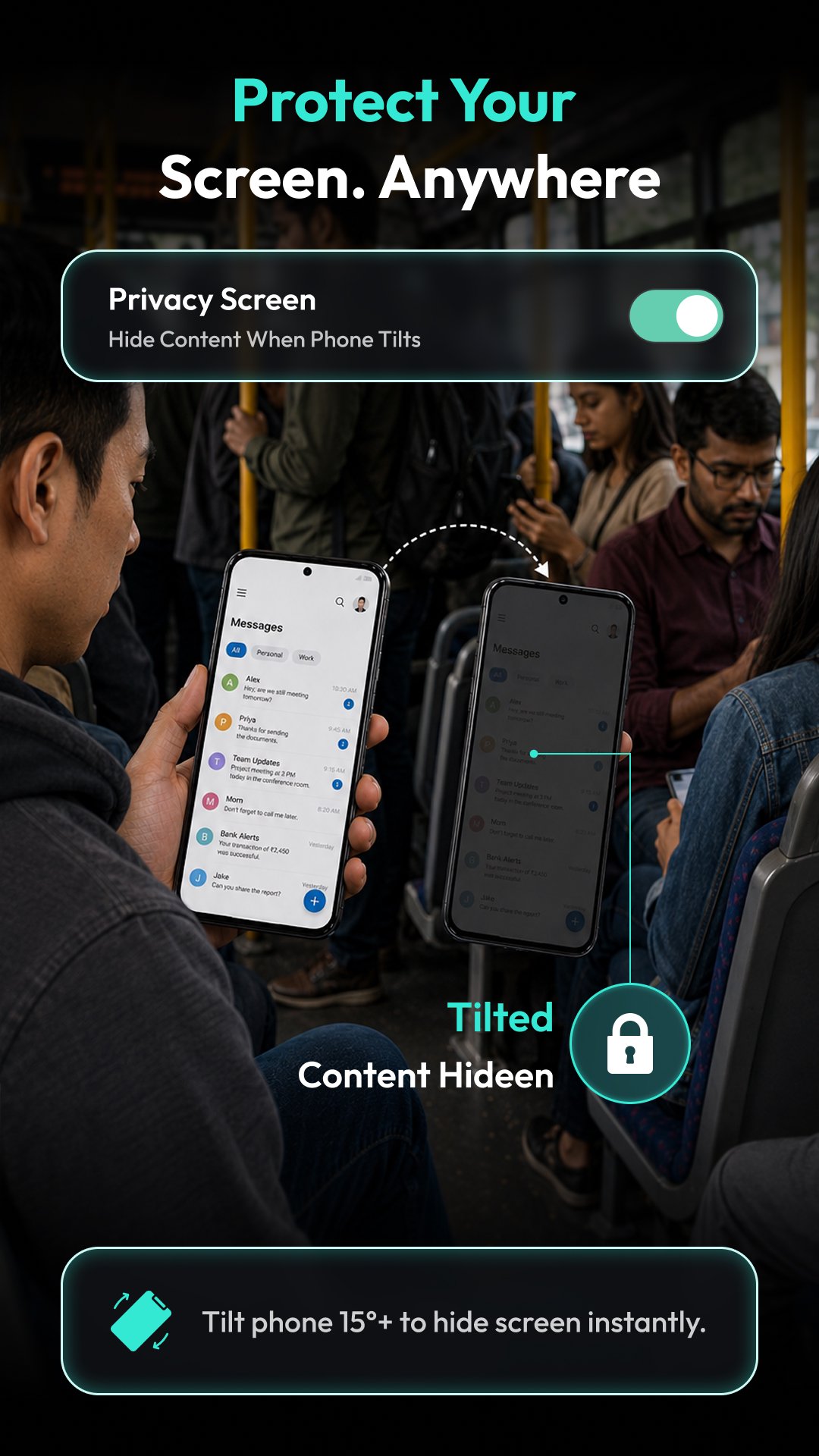
• Option to hide the overlay when the phone is tilted
Ideal for using your phone in public places where you prefer additional screen privacy.
Screen Dimmer for Comfortable Viewing
Reduce screen brightness with an adjustable overlay for more comfortable viewing, especially in low-light environments.
Choose from ready-made display modes including:
• Reading Mode
• Movie Mode
• Night Mode
• Dark Mode
• Light Mode
• Gaming Mode
You can also personalize your own screen filter by selecting different colors and adjusting the opacity to match your preference.
Quick Home Screen Controls
Turn Privacy Screen or Screen Dimmer on or off directly from the Home Screen for fast access whenever you need it.
Useful for Everyday Situations
• Reading before bedtime
• Using your phone in public transport
• Working in cafés or offices
• Watching videos in dark environments
• Browsing with added screen privacy
• Creating a more comfortable display for extended phone use
Main Features
✓ Privacy Screen Filter
✓ Adjustable Privacy Opacity
✓ Custom Viewing Angle
✓ Floating Control Button
✓ Auto Hide in Full Screen
✓ Tilt-Based Hide Option
✓ Screen Dimmer
✓ Reading Mode
✓ Movie Mode
✓ Night Mode
✓ Dark Mode
✓ Light Mode
✓ Gaming Mode
✓ Custom Screen Color Filter
✓ Adjustable Color Opacity
✓ Quick Home Screen Toggle
Customize your screen for greater privacy and comfortable viewing with simple controls designed for everyday use.
Permission:
Overlay permission:
This permission is required to show a Privacy Screen Filter & Dimmer Mode Filter overlay view on top of your screen. The Privacy Screen Filter protects your screen content from being viewed by others, and the Dimmer Mode Filter reduces brightness and helps minimize eye strain.





One-click to install XAPK/APK files on Android!

Thanks for your rating and feedback!
You have already rated.