










Thanks for your rating and feedback!
You have already rated.

Save GPS location with one tap. Export coordinates to Excel, CSV, GPX or KML.
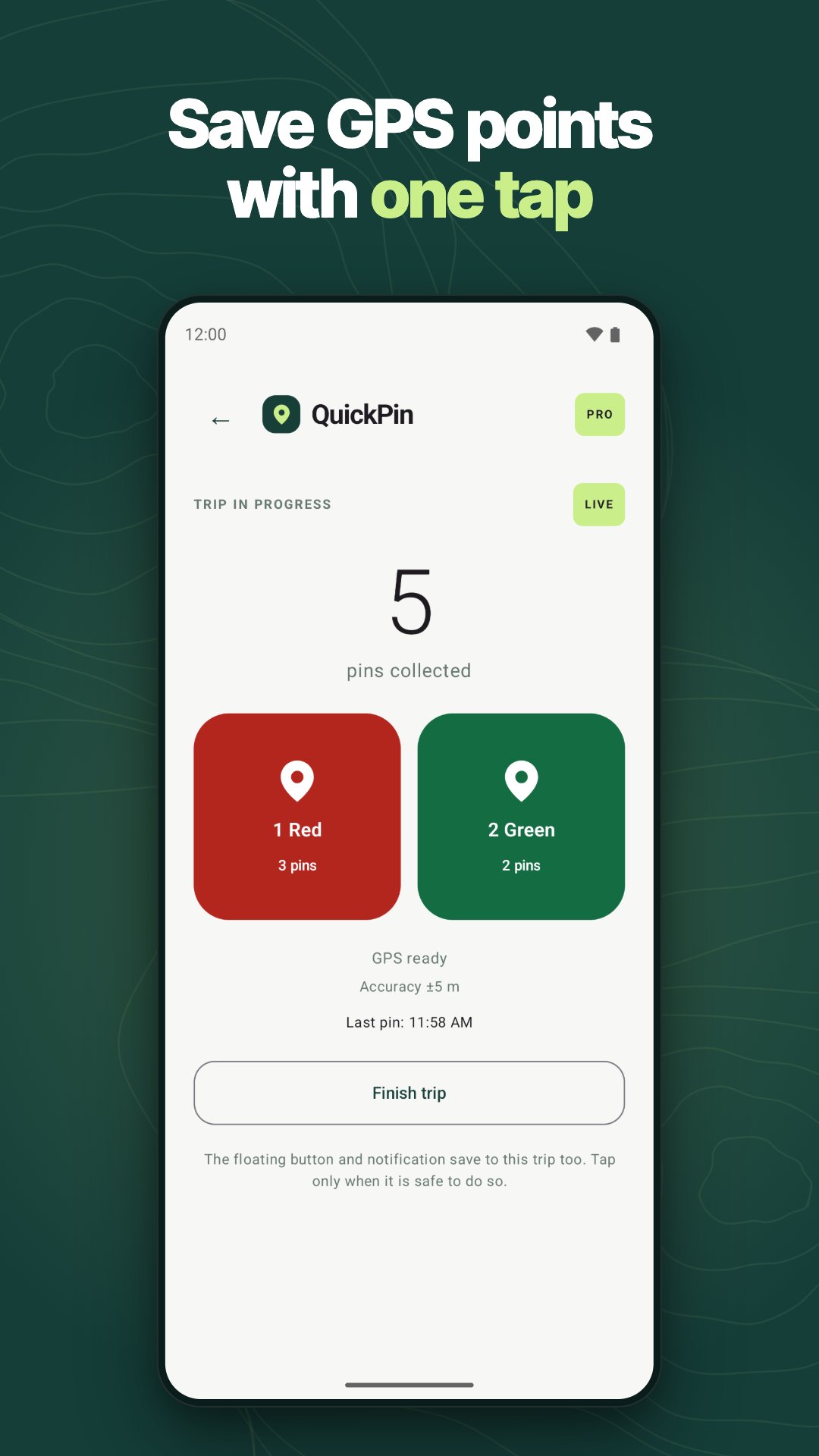
Save your GPS location with one tap and keep working. QuickPin stores the GPS coordinates of every spot you mark, ready to export to Excel, CSV, GPX or KML for inspections, surveys and reports.
A simple GPS logger and location saver that keeps only the places you tap, not your whole route. Spot a pothole, a broken fence or a fallen tree? Tap once and QuickPin saves the GPS coordinates, the time, the accuracy and the altitude. No typing, no zooming into maps, no notes to rewrite at the end of the day.
HOW IT WORKS
• Start a trip and carry on with your work. QuickPin saves a point only when you tap.
• Drop a pin to save your GPS location: use the big pin button, a floating button on top of your map or navigation app, or the notification.
• Mark places red or green with two separate lists, for example issues and good spots (Pro).
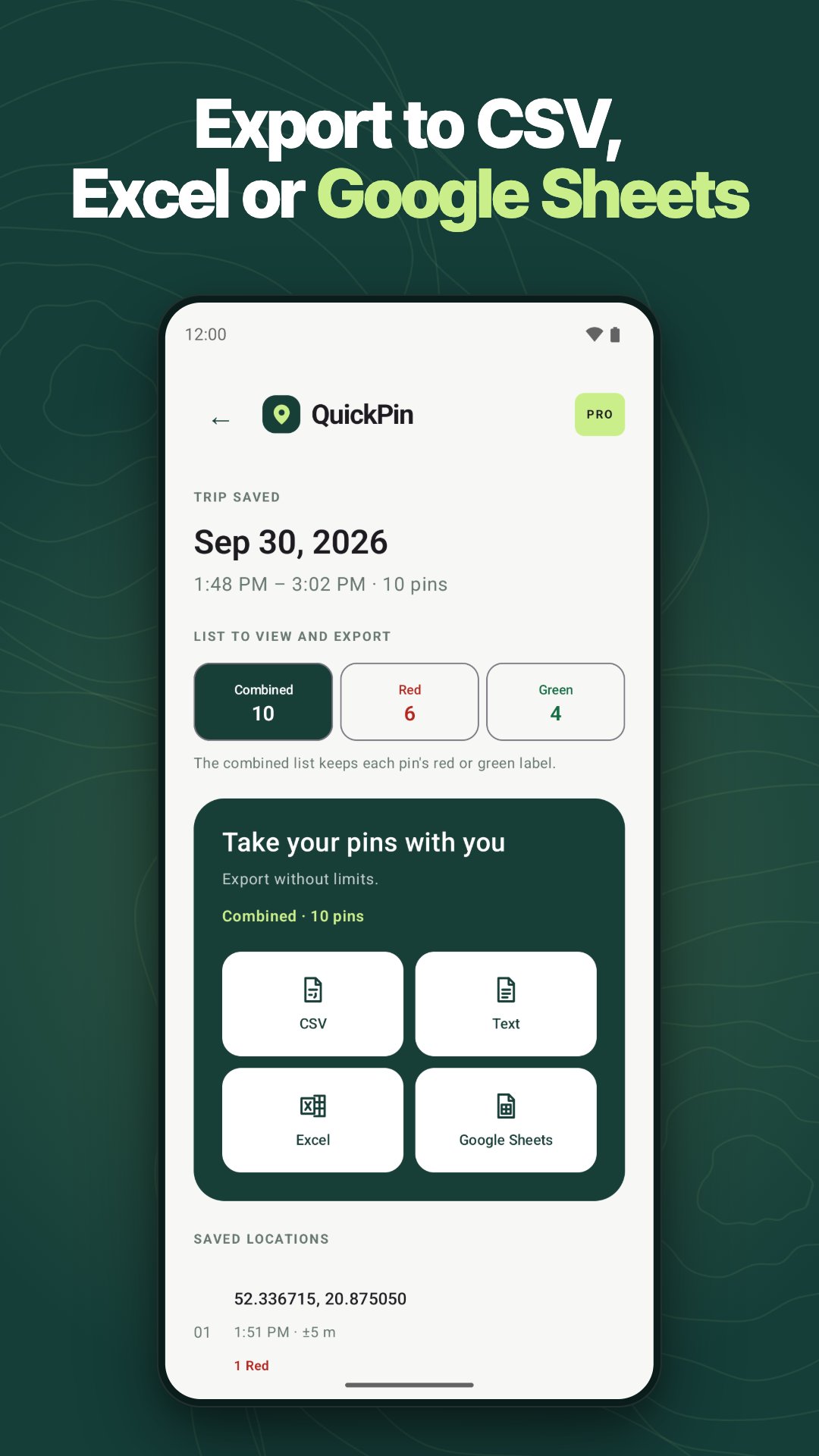
• Finish the trip and export your GPS coordinates to CSV, TXT, Excel (XLSX) or Google Sheets. Every point includes a Google Maps link, so your team knows exactly where to go.
• Open your pins in other map apps (Pro): GPX waypoints for GPS apps and devices, KML for Google Earth, and GeoJSON for QGIS and web maps. Two-list trips keep red and green pins apart.
BUILT FOR FIELD WORK
Road and utility inspections, property and facility surveys, forestry and agriculture, delivery routes, scouting and inventory: wherever you need to save GPS location points at exact spots, not along your whole route. Each trip becomes a clean location log with time, accuracy and altitude for every point, and your phone is the GPS logger, so there is no extra device to carry.
EVERYDAY USE
Hiking, camping, fishing or finding your parked car: drop a pin to save location points you want to come back to, and keep your waypoints for the next trip or load them into your GPS app as GPX.
PRIVATE BY DESIGN
• No account and no sign-in: open the app and start a trip.
• Your pins stay on your phone. QuickPin does not track your route and does not upload your points to our servers.
• Location is used only during an active trip, and a notification is visible for the whole trip.
• You decide when and where to export: a file on your phone or a spreadsheet in your own Google Drive.
FREE PLAN
• 3 trips per month, up to 12 hours each
• Unlimited pins and unlimited CSV and TXT exports
• Try Pro once: one trip with two lists and one spreadsheet export
• Watch a short ad to unlock up to 2 extra trips per month
QUICKPIN PRO
• Unlimited trips with no time limit
• Two lists for red and green pins
• Unlimited exports to Excel and Google Sheets
• GPX, KML and GeoJSON export for GPS apps, Google Earth and GIS tools
• No ads
A Pro license covers one device at a time; Restore purchases on a new phone moves it there. Pro is a yearly subscription with a 7-day free trial for new subscribers, or a monthly subscription. The price is shown in the app before you buy, and you can cancel at any time in Google Play.
SAFETY
Use QuickPin only when it is safe to do so. When driving, let a passenger save the points or stop first.
Questions or ideas? Write to [email protected].




One-click to install XAPK/APK files on Android!
Thanks for your rating and feedback!
You have already rated.