Safe & Fast APK Downloads on APKPure
APKPure uses signature verification to ensure virus-free Screen lock App APK downloads for you.

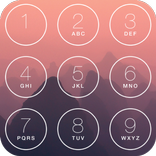
iNotify lock screen app shows lock screen notifications in IOS style screen lock
IOS lock screen app provides appearance of android notification center in IOS style screen lock. Custom lock screen displays lock screen notifications with new style on your lock screen. IOS lock screen 16 can easily change Lock screen notifications on android in latest lock screen style.
Notification lock secures your all single or group notifications on screen. Android Screen locker makes it easy to swipe left to manage, view, or clear the notifications from home screen.
Customizable Lock Screen App can change lock screen display in any theme as it supports multiple OS lock screen theme for android.
IOS style screen lock app change lock screen notification center of android with following features:
★IOS Lock Screen with Notification
Custom lock screen app present all messages, calls and other social media alerts on notification center like IOS lock screen 16 style.
★Lock Screen Theme for Android
Custom Lock screen for android provides different themes to display lock screen notifications like iOS style lock screen.
★Lock Screen Password
⚈ Personalized lock screen app makes phone secure by providing the feature of setting passcode like IOS lock screen password.
⚈ Custom lock screen for android provides sample passcode and also allows to set own passcode on screen.
★Lock Screen Wallpapers
⚈ Lock screen android app consists of abundant pictures and colors to be used as wallpaper for lock screen with notification.
⚈ Screen locker also lets you to use an image from phone gallery as a background picture for lock screen notifications.
★Custom Lock Screen App
⚈ Screen locker app on click expands & collapse group notifications like OS. 15 style.
⚈ Lock screen android app offers you to keep the lock screen notification center on or to disable system lock screen
How to use IOS Style Screen Lock app
✅ Set the lock screen password & theme for android.
✅ Adjust the wallpaper and appearances.
✅ Switch on the system lock screen notification center.
✅ The app will display lockscreen notification like OS.
We use accessibility permissions to disable the device's back, recent, and home buttons. By obtaining this accessibility permission, our application can display a customized lock screen to the user when the device's screen turns off. Without this permission, our app lacks the ability to deactivate these navigation buttons, potentially allowing users to access the device through the back, recent, or home buttons. This could compromise the overall security and performance of the application. With the help of this permission, our application provides a highly secure custom lock screen, ensuring that only the PIN code can unlock the device, thus preventing unauthorized access through the back, recent, or home buttons. Please note that we do not collect or share any private data using this service.



One-click to install XAPK/APK files on Android!

Thanks for your rating and feedback!
You have already rated.