Scan Date:May 16, 2026
Show More

Liberate space of the internal memory. To erase or to save files to the Card SD.
SGFiles solves comfortably the problem of the message that goes out for us in the mobile periodically: " LITTLE SPACE OF STORAGE ". Liberate space.
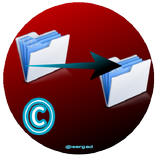
Or it provides comfort to us at the moment of treating our files: IMAGES, etc, erasing or moving. As well as to move to the Card SD (external memory; microSD). Instead of being entering 10 folders and managing, with SGFiles it assembles in the alone one all the files to manage them easier (I marry To move). Or we eliminate in few clicks it of these 10 folders. Winning time in both cases.
SGFiles has the necessary interface TO CREATE TASKS that facilitate the labor to us.
What is a "TASK"?:
A task can be a folder where we receive constant PHOTOS ó VIDEOES ó GIFS ó DOCUMENTS, etc.
If we have 4 folders (PHOTOS, VIDEOES, GIFS, DOCUMENTS), we will create 4 tasks, for example.
To create a task is very simple:
Go to the eyelash TO CREATE.
1.-Put a Name: Images or Videoes, etc.
2.-To choose an Origin: to erase (in this case to mark the button To erase) or to move.
3.-To choose a Destination: to where we want to move.
4.-To give in Creating task.
ONCE CREATED THE TASKS, ONLY IT IS NECESSARY TO GO TO THE PARAGRAPH LIBERATE (in the free version already GBWhatsApp Images has the tasks DCIM/Camera/and WhatsApp Images ó), to make it manual or To programming (To programme to move automatically: only available in the version pro) in order that it is realized without our intervention once we have programmed it. For safety, the paragraph of Programming only will be able to move files.
A. - I INITIATE:
1.-To manage tasks. The created tasks are seen in this paragraph, where we can edit to modify or to erase the task.
2.-It Copies of tasks. Give in the paragraph of Copy of tasks in Doing safety copy. This copy Storage guards in the internal Storage in the folder interno/SGFiles/com.sgfiles.sergad.backup/
3.-Usefulness. - Files - - Images - - Videoes. - - Audio - - To see space of storage - - included applications To show system - - Adjustments of the application-. BEGINNING - Usefulness. To have it accessible in the same space, without having to look for it for the mobile. The 3 last ones only available in SGFilesPro.
4.-Instructions. If it has some doubt it can consult this paragraph.
5.-Cloud. I access to different applications that allow storage in the cloud. The only aim is to have it more to hand.
6. - To programme. Once it has created all his tasks, mark the día/s that he wishes and the hour and later it gives in Guarding automatic task. SGFiles reads the tasks created with the Origin and the Destination and moves the files of automatic form without the user should worry nor be hanging. Only available in SGFilesPro.
The application also will warn him if it has files to move or to erase.
B. - LIBERATE:
1.-This will move files according to the created tasks, attending to an Origin and a Destination.
REMEMBER: SGFiles WILL MAKE HIM WIN TIME.
SGFiles. Developed for devices Android.
Enjoyment of the application.



One-click to install XAPK/APK files on Android!

Thanks for your rating and feedback!
You have already rated.