Safe & Fast APK Downloads on APKPure
APKPure uses signature verification to ensure virus-free SocketScan Keyboard Wedge APK downloads for you.

Switch to the new Socket Mobile Keyboard - http://bit.ly/SMKeyboard
NOTE: This app has been replaced by Socket Mobile Keyboard. It will be removed from the app store by the end of October 2019.
Download Socket Mobile Keyboard https://bit.ly/SMKeyboard
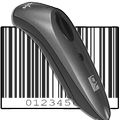
The SocketScan 10 keyboard wedge enters scanned barcode data directly into any app - to the app, it appears as if you typed the data using your keyboard.
To use some features of this app a Socket Mobile Bluetooth barcode scanner, sold separately, is required. The following models are supported:
• 7 Series - 7C, 7Ci, 7Di, 7DiRx, 7E (v3), 7M, 7Mi, 7NRx, 7P (v3), 7Pi, 7Qi, 7X, 7Xi, 7XRx, 7XiRx
• 8 Series - 8Ci, 8Qi
• SocketScan S700, S730, S740, S800, S850
• DuraScan D700, D740, D750
SocketScan is a trademark of Socket Mobile Inc.
Socket is a trademark of Socket Mobile Inc., registered in the US and other countries.
Bluetooth is a trademark of Bluetooth SIG Inc., registered in the US and other countries.



One-click to install XAPK/APK files on Android!

Thanks for your rating and feedback!
You have already rated.