Package Name:com.bhanu.splitapps
Show More


1.8 MB
File Size
Everyone
Android OS
Create shortcuts to launch two apps together in split-screen mode.
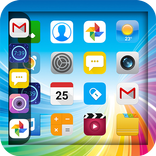
Want to use two apps at the same time? Split Screen Launcher lets you create home screen shortcuts to open your favorite app pairs in split-screen mode, making multitasking easier on supported Android devices.
How It Works
Choose the two apps you want to use together.
Create a shortcut on your home screen.
Tap the shortcut to launch both apps in split-screen mode, where supported.
Key Features
• Split Screen Shortcuts: Create convenient home screen shortcuts for your favorite app combinations.
• Launch Two Apps Together: Quickly access two apps in multi-window mode without selecting them separately each time.
• Easy Setup: Choose your apps and create a shortcut in just two simple steps.
• Convenient Multitasking: Use supported apps side by side for everyday tasks.
Important Compatibility Information
Split-screen functionality depends on your Android version, device manufacturer, and the apps you choose. Not all Android devices or apps support split-screen mode, so some shortcuts may not work as expected.
Why Is Accessibility Permission Required?
Android restricts certain system actions, including activating split-screen mode. This app uses the Accessibility Service for the specific functionality needed to initiate split-screen mode.
Please review the Accessibility Service permission prompt and grant access only if you are comfortable with its use.
Feedback and Support
We welcome your suggestions! If you experience an issue or have an idea to improve the app, please contact us at:
Install Split Screen Launcher and make multitasking easier with convenient shortcuts to your favorite app pairs.
Accessibility Service Disclosure:
Split Apps requires the AccessibilityService API to perform the Android system split-screen action (GLOBAL_ACTION_TOGGLE_SPLIT_SCREEN) to automatically launch your selected dual apps side-by-side in split-screen mode.
Data Safety: Split Apps does NOT collect, read, store, or transmit any personal data, sensitive user information, or screen content using the AccessibilityService API.



One-click to install XAPK/APK files on Android!

Thanks for your rating and feedback!
You have already rated.