Scan Date:Jun 19, 2026
Show More


12.7 MB
File Size
Everyone
Android OS
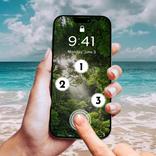
Block screen touches. Put your phone in your pocket or watch a movie.
Touch Blocker can intercept touches, taps, swipes, gestures, and any other input on your screen, so you can leave your screen on without worrying about accidental input.
Listen to YouTube with your phone in your pocket. Leave a chart open on desk tablet.
Touch Blocker is the only app I know of that correctly and fully intercepts screen input to lock your screen on and avoid swipes, system navigation, and opening the notification shade.
Note that Touch Blocker uses the Accessibility APIs in Android to display a screen overlay. Touch Blocker will ask for this permission in the system settings when you open Touch Blocker. Touch Blocker does not collect or store any data and only uses this permission to display the overlay as necessary to function.
Touch Blocker is open source.
https://github.com/NightlyNexus/TouchBlocker
P.S. for power users:
Other apps (like Tasker) can broadcast locking, unlocking, and toggling Toch Blocker via these broadcast actions:
com.nightlynexus.touchblocker.ACTION_START_BLOCKING_TOUCHES
com.nightlynexus.touchblocker.ACTION_END_BLOCKING_TOUCHES
com.nightlynexus.touchblocker.ACTION_TOGGLE_BLOCKING_TOUCHES



One-click to install XAPK/APK files on Android!

Thanks for your rating and feedback!
You have already rated.