Package Name:com.phonecode.mobile
Show More


56.6 MB
File Size
Everyone
Android 7.0+
Android OS
Queue AI coding tasks, run your terminal & review code on your desktop remotely
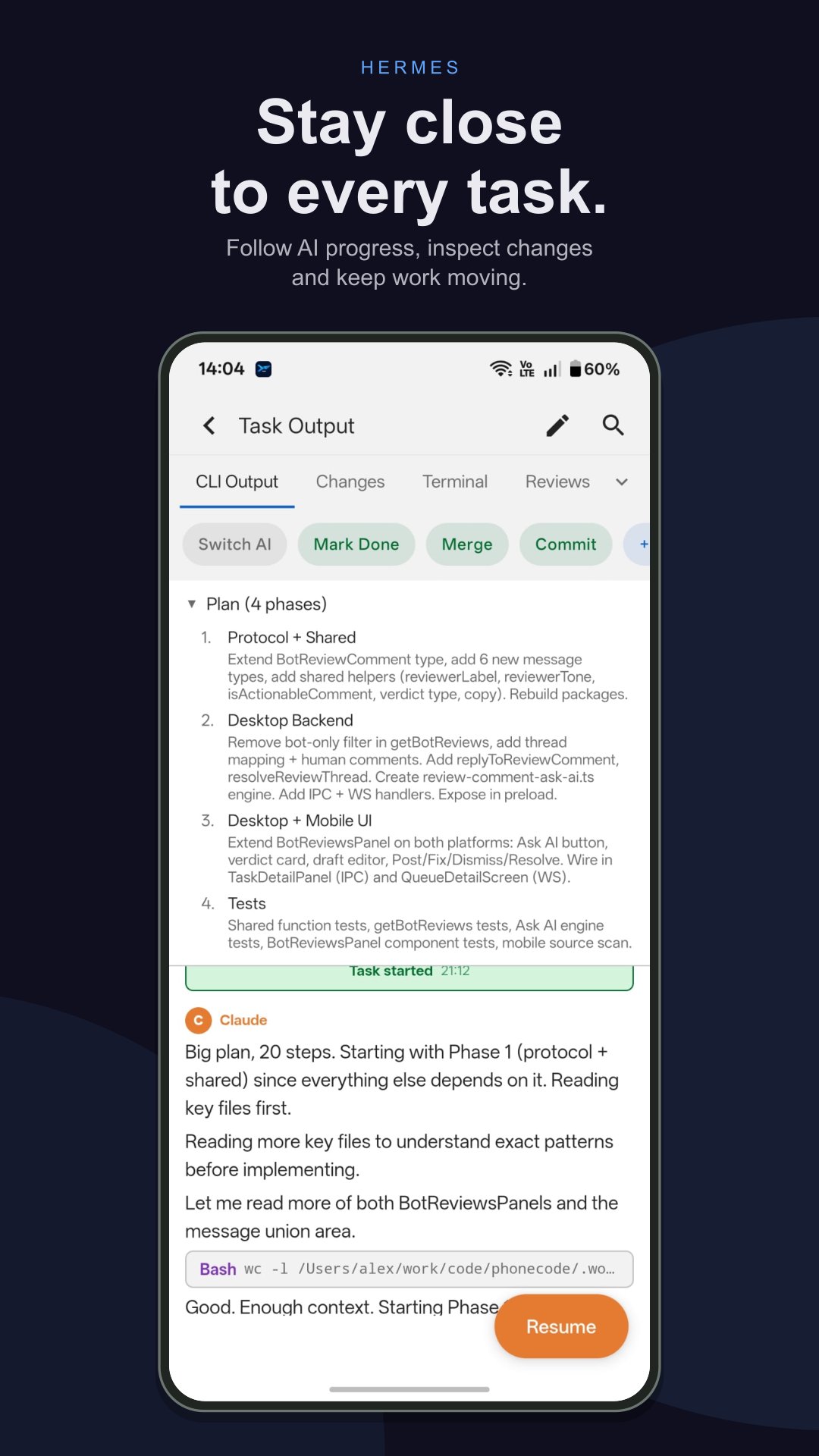
Hermes puts your desktop development environment in your pocket. Pair your phone with the free Hermes desktop app, then queue AI coding tasks, run terminal commands, review pull requests and move work across your boards, from anywhere.
Start a task on the train. Check the plan over coffee. Come back to code that's ready for review.
AI coding agents, on your schedule
• Queue tasks for Claude Code, OpenAI Codex or Gemini CLI running on your own computer
• Watch live output, answer the agent's questions and approve plans from your phone
• Pick the model and reasoning effort per task, or set your defaults once
• Schedule tasks to start later, or run several in parallel in separate Git worktrees
• Built-in plan review and code audits before anything reaches your branch
• Commit and open a pull request with one tap when you're happy with the result
Boards and the AI conveyor
• Kanban boards backed by Jira, Linear or stored locally
• The AI conveyor moves cards through analyze, plan, implement and review on its own
• Human checkpoints pause the pipeline until you answer, right from a notification
Full terminal on your phone
• Real terminal sessions on your desktop with Ctrl and Alt keys
• One-tap shortcuts for your favorite CLI tools and commands
• Live-preview your React Native app through the Metro tunnel
Git and code review
• Browse branches, diffs and pull requests
• AI-assisted PR reviews with a board for requested reviews
• Read bot review comments in a clean, formatted view
Files and data
• Browse desktop folders and download files to your phone
• Optional Google Drive backup of your Hermes data, in your own Drive
• Browse databases and run queries through your desktop
Social Studio
• Draft and schedule social posts for your app
• Monitor app store reviews and draft thoughtful replies
Private by design
• End-to-end encryption (NaCl) between phone and desktop
• Connect over your local Wi-Fi or through the relay, your choice
• Your code stays on your computer; AI tools run with your own accounts
• Pair in seconds by scanning a QR code
How it works
1. Install Hermes on your Mac, Windows or Linux computer from gethermesapp.com
2. Scan the QR code shown on your desktop
3. Control your dev environment from your phone
Hermes requires the Hermes desktop app. AI features use the AI command-line tools you install and sign in to on your computer (Claude Code, Codex or Gemini CLI); their usage is billed by those providers. Some features need a Hermes Pro subscription.
Claude, Codex, Gemini, Jira, Linear and GitHub are trademarks of their respective owners. Hermes is not affiliated with or endorsed by them.





One-click to install XAPK/APK files on Android!

Thanks for your rating and feedback!
You have already rated.