Safe & Fast APK Downloads on APKPure
APKPure uses signature verification to ensure virus-free Video Editor with Music APK downloads for you.


22.3 MB
File Size
Everyone
Android 4.1+
Android OS
Video Editor with Music
Video Editor with Music app is Professional Video Editing tool for your daily needs with most useful and handy Features to edit your video within minutes.
This is a simple but powerful video editor; it makes video edit on Android device so easy.
It’s totally free and user friendly application for video editing.
This application is a comprehensive and powerful photo video editor with so many functionalities combined into a single app.
Main Feature of Video Editor with Music:
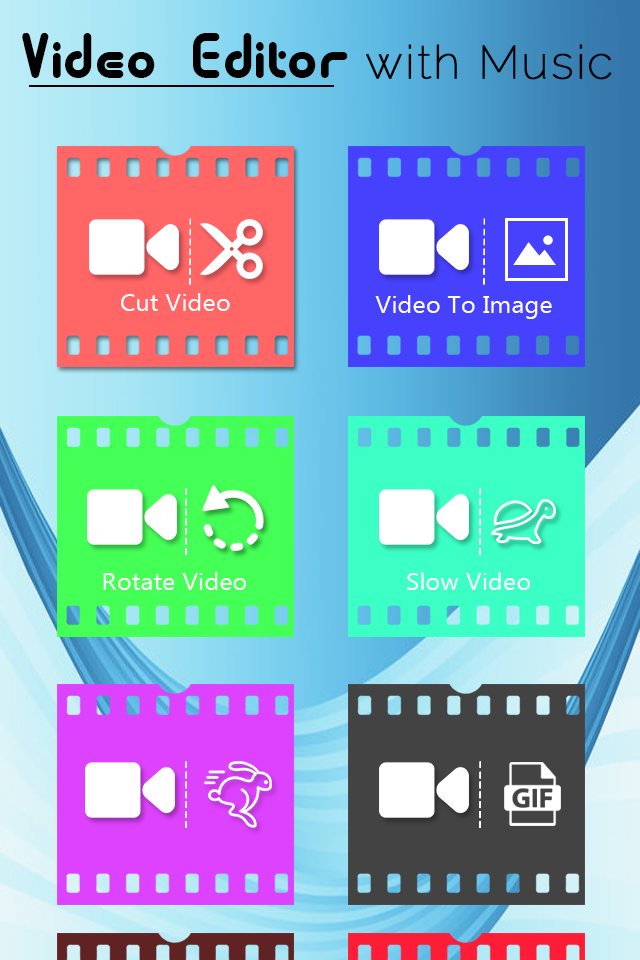
✔ Extract Audio To Video.
✔ Trim Video.
✔ Convert Video.
✔ Compress Videos.
✔ Video To Image.
✔ Video To Snap.
✔ Spilt Video.
✔ Rotate Video.
✔ Video To GIF.
✔ Resize Video.
✔ Slow Motion Video.
✔ Fast Motion Video.
✔Rename and delete your clips
✔Convert video to Mp3, extract sound.
✔Play, Show, Delete Videos, Audios, Photos.
✔Perfect interface, easy to use.
✔Do everything very fast.
✔Share with all social network.
Top New Feature of Video Editor with Music:
1). Extract Audio:
You can extract audio from video.
2). Trim Video:
Trim best part of video and remove unwanted logos and watermarks to share in social apps.
3). Convert Video:
Convert your video to useful formats like mp4, mkv, mov, mpeg, mpg, avi, flv, wmv.
4). Compress Video:
Compress video in different size and quality which is useful to save phone memory. Compress video of almost any format to different resolution by choosing desired percentage of compression of video.
5). Video To Image:
you can take image from particular and perfect moments from recorded videos and playable gallery videos in simple steps. Supports Quick Capture and Auto Snap between time interval.
6). Video To Snap:
Snap your favorite moment from gallery videos or recorded videos by clicking on capture button.
7). Spilt Video:
Split a single Video into Two Split Videos at a chosen point to split the video.
8). Rotate Video:
Did you record or saved your video in wrong direction or is the orientation wrong? No need to worry anymore because now you can Rotate your video in different angles rotate video option.
9). Video To GIF:
Video to GIF Tools Creates Law & High Size GIF From Your Video.
10). Resize Video:
Resize Video to Different size. Reduces the Video Size and minify video sizes to save disk space.
11). Slow Motion Video:
Create slow motion video of a particular part of video by using Slow option or make the whole video slow. Choose any video and select speed like 2x, 3x, 4x, 5x, up to 10x.
12). Fast Motion Video:
Use fast motion video app to increase speed of the video using this video editor app. You can make whole video run in fast motion video speed like 1x, 2x, 3x, 4x, 5x, up to 10x.
You have many Videos and you want to edit it with smart phone, Video Editor With Music will help you do that thing.
f you like this Great Video Editor with Music Latest Material Design and User friendly UI, than Share with your friends and Remember to rate us 5 stars.
Thank you…






One-click to install XAPK/APK files on Android!

Thanks for your rating and feedback!
You have already rated.