
Package Name:com.appbolt.deviceinfo
Show More

Device Info Details shows phone hardware specs, CPU, RAM, battery, and sensors.
Device Info Details is a hardware specification and system utility app that shows complete information about your Android phone. It reads data directly from your device hardware and operating system to check processor speed, RAM memory, battery health, storage space, sensors, and camera specs.
Whether you want to check the specifications of a new phone, test a used phone before buying it, or monitor live hardware performance, Device Info Details gives you clear readings across 14 organized tabs.
What You Can Check with Device Info Details:
1. Live Dashboard
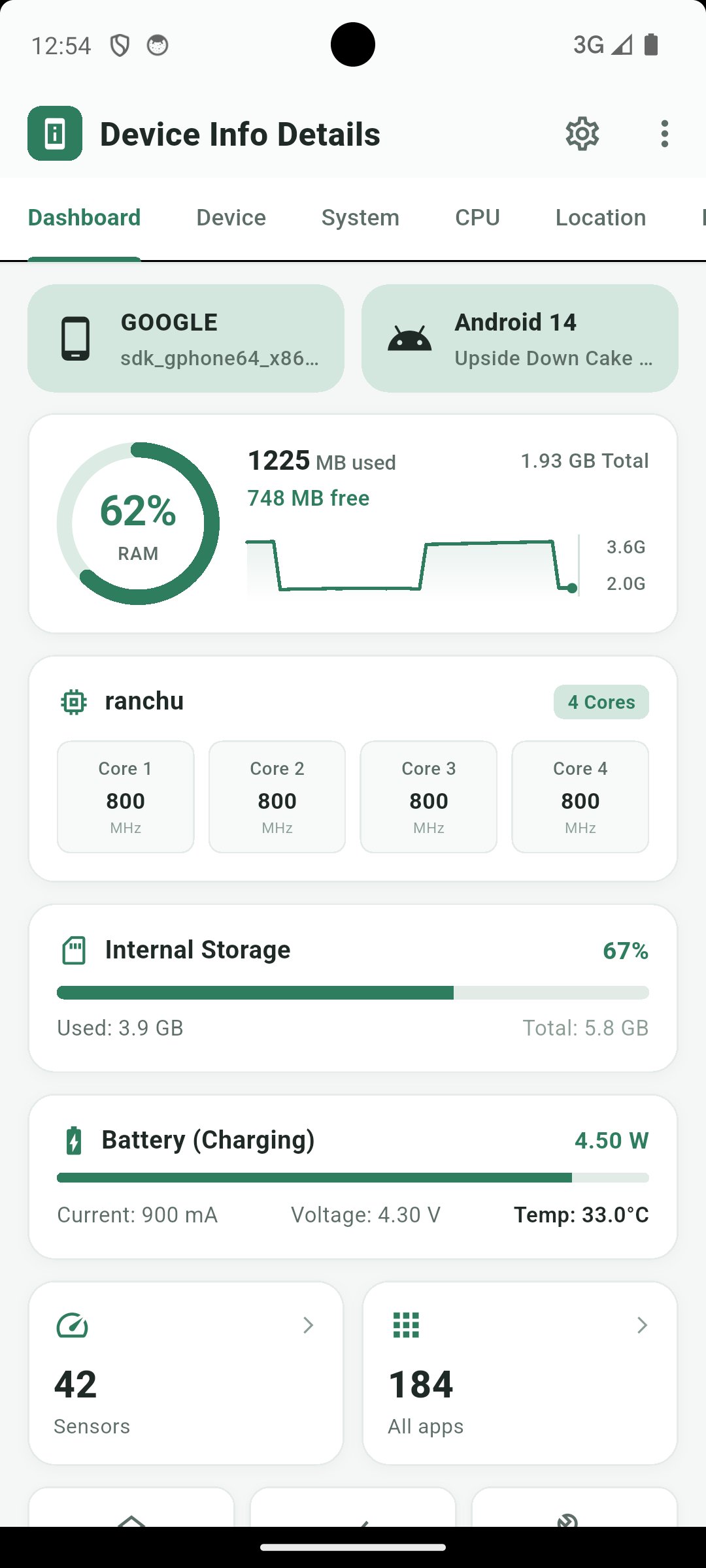
View your phone brand, model name, and Android version at a glance. Track live RAM usage percentage, real-time CPU core speeds in MHz, internal storage space, and battery charging power in Watts and milliamps (mA). You can also share a text summary of your phone specifications.
2. Device Specifications
Check device name, model number, manufacturer, hardware code, board name, bootloader state, Android Device ID, Google Advertising ID, build fingerprint, USB debugging status, NFC support, fingerprint sensor, and face recognition.
3. Operating System and DRM
Read Android version, API level, build number, security patch date, kernel version, SELinux status, Java runtime, root status, system uptime, and Google Widevine DRM security level (L1 or L3) and HDCP level.
4. CPU and GPU Monitor
Check System on Chip (SoC) model, processor core count, supported ABIs, CPU governor, and raw /proc/cpuinfo data. Monitor live clock speeds for each CPU core, GPU renderer, vendor, OpenGL ES version, and Vulkan support.
5. Storage and RAM Memory
See total, used, and free internal storage in GB and system partition mounts (/system, /vendor, /data, /cache). Check RAM breakdown across active apps, cache, buffers, kernel slab memory, and Swap or ZRAM.
6. Battery Health and Power
Monitor battery percentage, charging status, power source (AC, USB, wireless, or battery), live current in mA, power in Watts, temperature in Celsius, voltage, Li-ion technology, design capacity in mAh, and cycle count.
7. Display Specifications
Check screen width and height in pixels, pixel density (PPI and DPI), screen size in inches, refresh rate in Hz, wide color gamut support, brightness mode, screen timeout, and font scale.
8. Camera Specifications
Inspect front and rear camera megapixels, sensor resolution, aperture, focal length, Camera2 API hardware level, RAW capture support, video stabilization, flash support, and target FPS ranges.
9. Hardware Sensors List
Device Info Details lists all sensors on your phone, including accelerometer, gyroscope, magnetometer, light, proximity, barometer, gravity, rotation vector, and step counter, with vendor name, wake-up support, and power draw.
10. Network and Wi-Fi Info
View total received and sent data traffic in MB, Wi-Fi standard, link speed in Mbps, signal frequency in MHz, IPv4 and IPv6 addresses, gateway, DHCP server, netmask, DNS addresses, and multi-SIM status.
11. GPS and GNSS Satellites
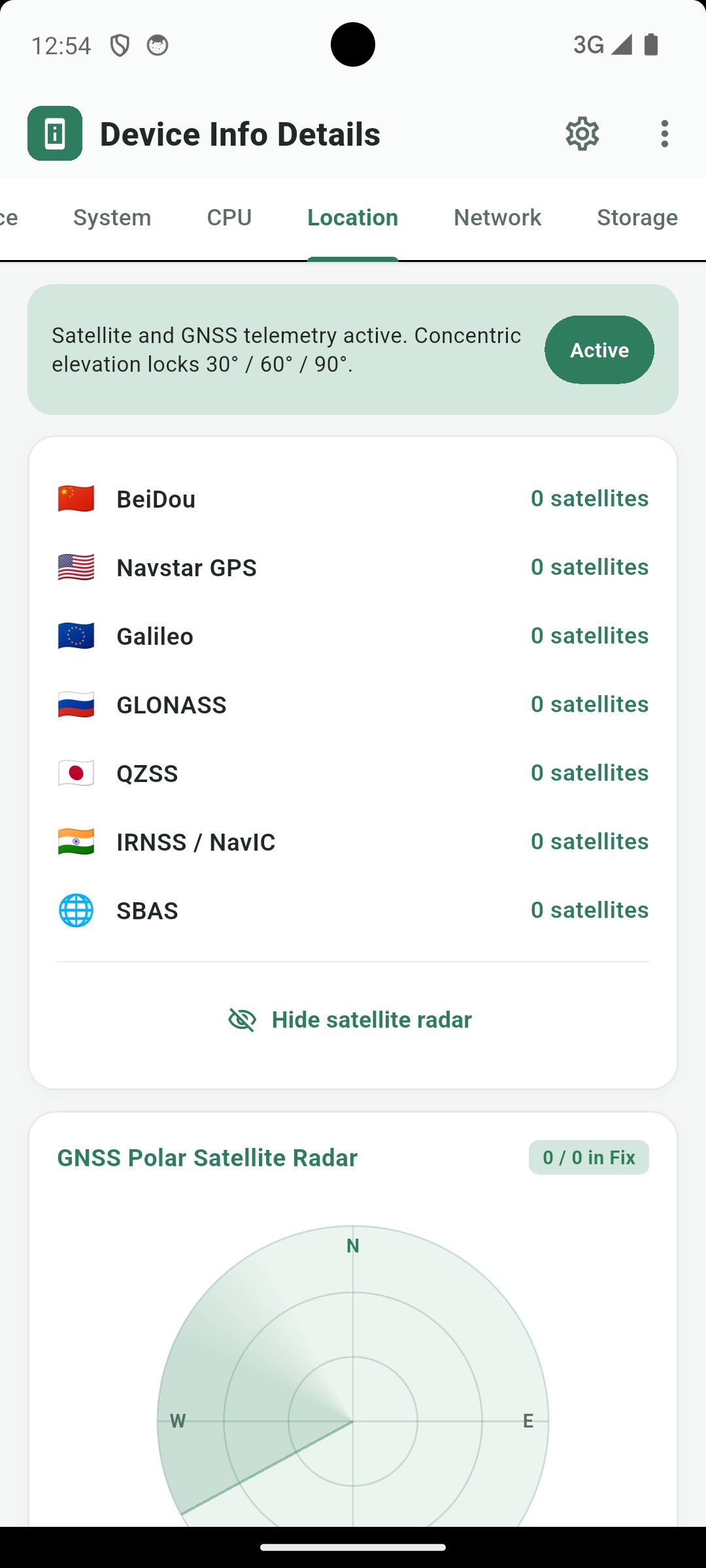
Check active satellites across GPS, GLONASS, Galileo, BeiDou, QZSS, NavIC, and SBAS constellations on a polar sky map with elevation, azimuth, signal strength, and coordinates.
12. Installed Apps List
Browse user apps and system apps with package names, version numbers, target Android SDK levels, and app sizes.
13. Interactive Hardware Tests
Device Info Details includes pass-or-fail hardware tests for screen dead pixels (full-screen RGB color cycle), multi-touch tracking, rear LED flashlight, loudspeaker, ear speaker, proximity sensor, vibration motor, microphone, and storage speed.
14. Measurement Tools
Use built-in utilities including a digital compass, a bubble level for surface pitch and roll angles, and a decibel (dB) sound meter.
Device Info Details is built for everyday Android users, technicians, and developers who need plain, accurate hardware information and phone diagnostic tools.




One-click to install XAPK/APK files on Android!

Thanks for your rating and feedback!
You have already rated.