









Thanks for your rating and feedback!
You have already rated.

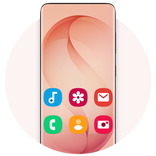
Galaxy S26 Light Theme: Premium One UI Light Icons and Stunning FHD+ Wallpapers.
Experience a fresh, modern aesthetic with the Galaxy S26 Light Theme.
The Galaxy S26 Light Theme & Icon Pack features a premium collection of light, One UI-inspired icons and high-definition FHD+ wallpapers. Designed to replicate the clean, airy look of the latest flagship devices—including the Galaxy S26, S26+, and S26 Ultra—this icon pack gives your device a vibrant and professional makeover.
Your home screen is the most personal part of your phone. With our professionally crafted dark icons and vibrant backgrounds, you can express your unique style while giving your device a clean, high-end appearance optimized for edge-to-edge display phones (Galaxy S25, Galaxy S25+, Galaxy S25 ultra, Galaxy S24 ultra and Note 20).
Main Features:
• One UI 8.0 Style Icons: A massive collection of beautiful light icons inspired by modern flat design.
• Full HD Plus Wallpapers: Exclusive, high-resolution backgrounds for a crisp and clear display.
• Performance Optimized: A fast, lightweight app that provides a smooth navigation experience.
• Universal Compatibility: Designed to look great on all types of mobile phones and tablets.
• One-Tap Customization: Easily set wallpapers as your home screen or lock screen.
• Social Sharing: Effortlessly share your favorite wallpapers and the app with friends.
• Save Offline: Download and save HD wallpapers directly to your mobile storage.
🛠️ Supported Launchers:
This icon pack is compatible with a wide range of Android launchers. Apply it directly from the app or through your launcher's settings:
• OS Launcher 26
• Galaxy S26 Ultra Launcher
• Android 16 Style Launcher
• Nova Launcher
• ADW Launcher
• Action Launcher
• Solo Launcher
• N+ Launcher
Note: If your preferred launcher is not listed, you can usually apply the Galaxy S26 Light Theme via your launcher’s internal "Theme" or "Icon" settings menu.
Quick Installation Guide:
1. Open the Galaxy S26 Light Theme app.
2. Choose your installed launcher from the provided list.
3. Click Apply to refresh your phone’s interface instantly.
Give your phone a premium light makeover today with the Galaxy S26 Light Theme!



One-click to install XAPK/APK files on Android!
Thanks for your rating and feedback!
You have already rated.