Package Name:com.trochoicodien.minesweeper
Show More

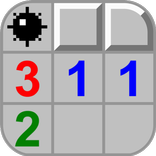
Classic Minesweeper — dynamic grid, flag & chord.
Minesweeper brings the classic logic minefield into a hazard-lit clearing bunker. The board is not locked to a fixed 9×9 or 16×16 layout — columns and mine density adapt to your screen, so the same rules feel at home on a phone, tablet, or wide desktop window.
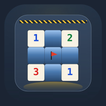
You choose how wide the field runs and how thick the mine layer should be before you step through the blast door. Hidden tiles read as cool raised stone; opened pads light up as warm chalk so every reveal is easy to scan under the bunker lamps. Tap once to uncover a cell. Switch to flag mode when you want to mark a suspected mine without opening it. When a revealed number already has the matching flags around it, chord-open the rest of the ring in one move — the classic expert shortcut, built into the bunker dock beside the board.
Timing starts on your first real action, not when the screen loads, so you can study the gauges and plan density first. A win scores from mine count, grid size, and how quickly you cleared the field. Mid-game progress saves on device so you can resume later from the mine cart on home. After a loss you can still review the full board before returning to the hub, which helps you learn how a tight pattern closed.
Home is the bunker stage itself: a copper-trimmed blast door for Play, a help plaque with the rules in short form, a settings breaker panel, and density plus column gauges on the control desk — not a flat app menu stacked as a list. Settings cover music, sound effects, and haptics so you can keep a quiet run or a tactile one. Eight languages ship in the in-app picker, and the layout reflows when you rotate or resize so the grid stays readable.
Play offline once the page or app is loaded; no account is required for the core puzzle. Accessibility-minded contrast keeps raised blue stone distinct from chalk pads, and large hit targets on the reveal and flag tools help on smaller phones. Portrait stacks the dock under the board; landscape pulls tools to the side so the field can use the extra width.
Tips for a cleaner clear: start with a modest density while you learn chord openings; flag early when a number can only point one way; clear safe corners before diving into dense centers; use review mode after a miss to see how the pattern closed; bump columns up on tablets when you want a longer session without changing the rules. Track your fastest clear for each grid configuration and slowly raise density as your chord timing improves. The score card after a field clear shows how mine count, board size, and clock combined, so you can compare runs fairly.
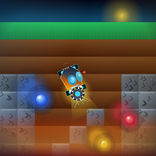
Whether you want a quick clearing run between tasks or a dense logic grind, Minesweeper keeps the classic rules and dresses them in a readable underground workshop that matches the live canvas on tyttoot.com and in the packaged apps. From splash through play, copper gauges, stone tiles, and chalk pads stay consistent so store screenshots and the game you launch share one bunker look — ready for a focused clearing shift whenever you are.



One-click to install XAPK/APK files on Android!

Thanks for your rating and feedback!
You have already rated.