
Package Name:com.ardi.rotelo
Show More

Build your shift calendar: assign shifts, repeat patterns and check work hours
Rotelo is an Android shift calendar for building your own work schedule. Set up your shift types, tap dates to assign or change them, and see your shifts across the month. Apply repeating patterns, handle individual changes, check estimated work hours and share a selected period from the same schedule.
■ Tap a date to assign or change a shift
Tap a date to assign a shift and check your plan on the monthly calendar. Give each shift type its own name and color so your schedule looks the way you're used to. Swipe to move between months and jump back to today.
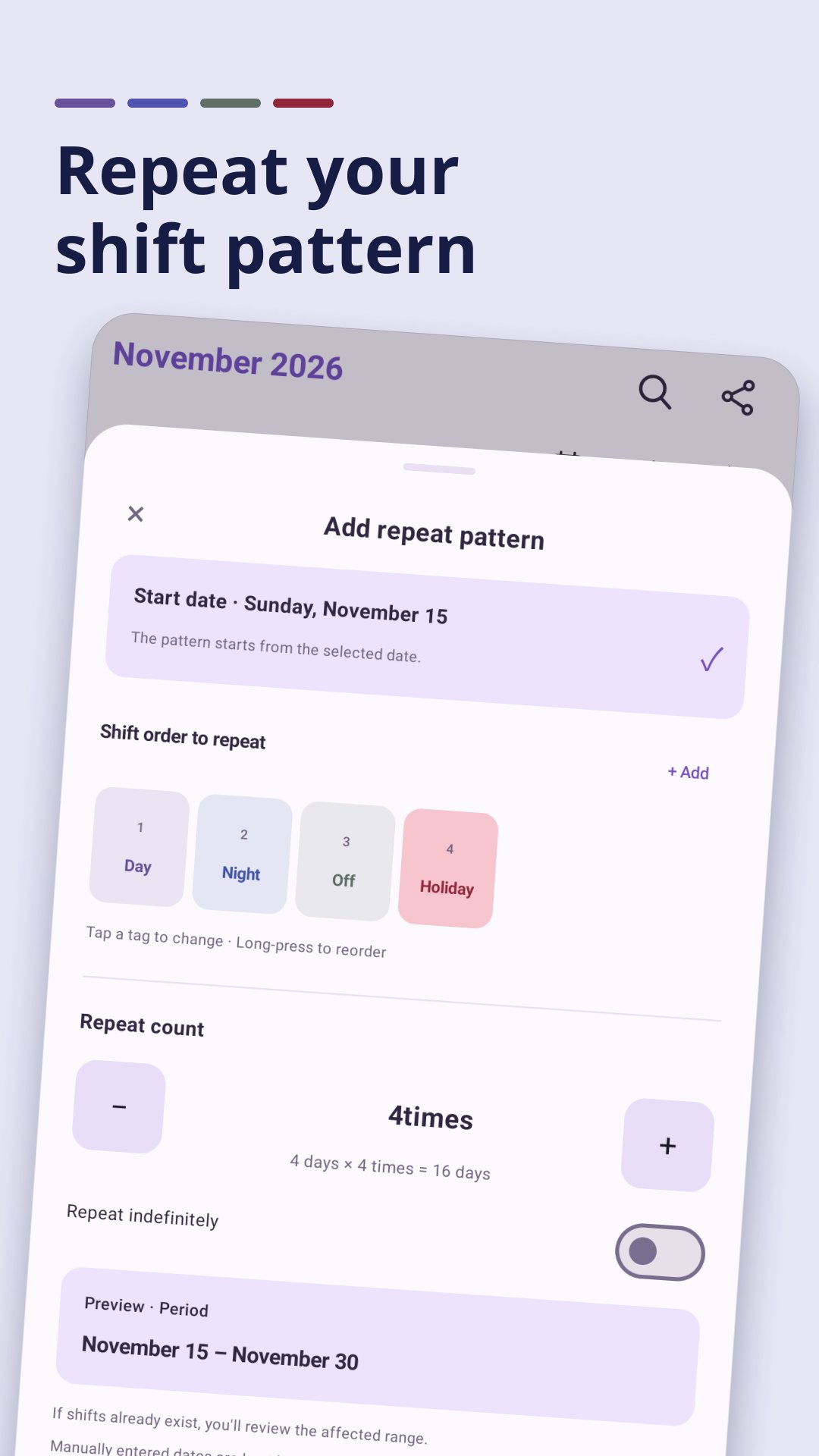
■ Add repeating shifts easily
Build a repeating shift order, choose a start date and a repeat count, and add it all at once. Indefinite repeats are supported too. Before applying, you can review the period and any overlap with existing shifts.
■ Notes for your shift dates
Add details to a date in your shift calendar. Set a memo color, mark important ones and show them on the calendar. If you clear a shift, the memo is kept separately.
■ Shift types that fit you
Set a shift name, label color, start and end times and break time. A shift that runs past midnight is counted as ending the next day, based on the times you enter. You can also add off-duty or day-off types that have no times.
■ Monthly stats
See your monthly shift counts and estimated work hours. Estimated hours account for breaks, and per-type totals give you an overview of the month.
■ Pass your schedule on with a share code
Pick a period to create a share code, then import it on another device. You choose whether to include memos when you create the code. Creating and importing codes happens on your device with no server upload, and you can preview the contents before importing.
■ Automatic backup and restore
Your schedules and memos are backed up automatically on your device. In Settings you can change the backup location or restore a backup. On Android 10 and later, the default backup location is Documents/rotelo. On Android 8 and 9, the default backup is stored inside the app and is deleted when the app is uninstalled.
■ Pre-shift reminders and home screen widgets
Get a reminder before your shift and check your shifts in the Today and Weekly widgets. To use reminders, allow notifications on your device.
■ Comfortable to use, simple to start
Light, dark and system themes are supported. You can start without signing up, and recording your schedule and handling share codes also work offline.
Good to know
• The app contains banner and interstitial ads. Showing ads requires an internet connection.
• Work-hour stats are estimates based on the times and breaks you enter.
• A backup stored only on the same device can't protect you if the device is lost or reset. Keep any backups you need somewhere else.
• Share codes and backups can contain unencrypted shift data and the memos you choose to include, so share them only with people you trust.




One-click to install XAPK/APK files on Android!

Thanks for your rating and feedback!
You have already rated.