Package Name:com.adrienmaciel.bramskeyboard.lite
Show More

3D keys, mechanical sound, swipe and voice typing in 72 languages. No tracking.
Brams Keyboard Lite is the lighter edition of Brams, a keyboard built around the feel of typing.
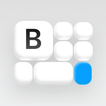
The keys have depth, sink under your finger and answer with a mechanical click. The look comes from 1960s German industrial design: few colors, simple shapes, nothing in the way.
What you type stays on your phone, and voice typing runs on the phone too. Brams only uses the internet when you tap Download on a language or Check for language updates, and only to download.
WHAT YOU GET IN LITE
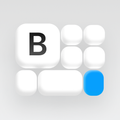
• 3D keys with shadows, side walls and a matte texture
• 5 keycap styles: Brams, Sculpted, Low profile, Flat and Gloss
• 4 color themes (Blue, Brams, Pink and Mono), each in light, dark and AMOLED
• More than 50 Signature themes you unlock by typing, with Brams Points
• 2 sounds: Mechanical, recorded from a real keyboard, and Silent
• Adjustable vibration, with its own strength for the space bar
• Adjustable backlight, key spring, keyboard height and key spacing
• RGB lighting on the legends with the rainbow Wave effect
• One-handed mode, and a floating keyboard on tablets
72 LANGUAGES ON YOUR PHONE
• Your phone's languages come with the app; download the others in Settings (up to 20 MB each). Once downloaded, they work offline
• Type in 2 languages at the same time, picked from all 72: from Portuguese, English and Spanish to Japanese, Chinese, Korean, Arabic, Hindi, Greek, Hebrew and Thai
• Dedicated Cyrillic, Greek, Hebrew, Thai, Arabic-script and Indian (InScript) keyboards; Telex for Vietnamese
• Japanese with kanji conversion, Simplified (pinyin) and Traditional (zhuyin) Chinese, and Korean, all on your phone. The language list is updated when you tap Check for language updates
• Autocorrect for typos and missing accents, which never learns its own mistakes
• Word completion and next-word suggestions
• Swipe typing and voice typing, even in airplane mode
• QWERTY, AZERTY, QWERTZ, Turkish Q, Nordic, Dvorak, Colemak and BÉPO layouts
EVERYDAY TOOLS
• Emoji with search by word or phrase, your choice of size and suggestions as you type
• Clipboard with text and images and pinned items, kept for up to 1 hour
• Hold the space bar to move the cursor like a trackpad
• A toolbar your way, including Switch keyboard
• Translation on your phone into and from 57 languages; each translation language is downloaded in Settings when you want it
• Typing statistics with a weekly summary
• Back up your settings and words to a file you keep, password-protected if you want
PRIVACY
• The microphone is used only while the voice panel is open, and the audio never leaves the phone
• No tracking and no data collection: no ads, no analytics, no account
• Internet only to download: language files come from the Brams server when you tap Download in Settings; nothing you type is sent. The keyboard has no internet code
• Incognito mode, and no suggestions or learning in password fields
• Optional Brams Blueprint app: on your phone, Brams gives it only your total key count and Brams Points balance when you deposit, and your keyboard layout when you create a theme.
WANT EVERYTHING?
Brams Keyboard, the full version, is a separate paid app on Google Play, bought once. It adds 12 more sounds, 18 more color themes, 12 more keycap styles, 11 more RGB effects with 24 colors, all languages at the same time and a clipboard that keeps items for up to 7 days.
Brams Keyboard Lite has no in-app purchases. To use the full version, install Brams Keyboard and turn it on in the Android keyboard list. Settings are not copied between the two apps.



One-click to install XAPK/APK files on Android!

Thanks for your rating and feedback!
You have already rated.