Scan Date:Nov 4, 2026
Show More

Desktop Launcher Win 10 on android phone. Desktop interface for Android devices
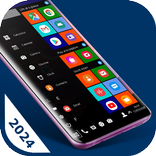
Computer Launcher - Win 10 is a desktop launcher app that transforms your Android phone into a desktop computer. This Window Launcher gives you a familiar Window 10 like experience with icons, menus, and a taskbar.
✒️ Main Features : Computer Launcher - Win 10
✓ Start Menu like Computer
✓ Window 10 tile look
✓ Create shortcuts on desktop
✓ Create contacts on desktop
✓ Place apps on desktop
✓ Drag and Drop
✓ Most used apps list
✓ Easy access and search to the Apps
✓ Get details of all of your drives, SD Card, Storage, audio and video files and pictures in PC style
✓ Computer Launcher Taskbar exact look
✓ Place Widgets on desktop , resize , drag drop
✓ Drag and drop for all actions
✓ Clock Widget on desktop and taskbar
✓ Weather Widget
✓ News Widget
✓ Premium Wallpapers
✓ Weather, Calendar and Photos tiles Added
✓ Change applications in Taskbar
🖥️ Desktop Experience - Desktop Launcher : Immerse yourself in the seamless desktop launcher app, desktop like environment, allowing for effortless multitasking, window management, and application navigation.
🗄️ File Management - Computer Launcher : Organize and manage your files in this computer launcher with the ease and precision of a desktop computer, utilizing intuitive file management tools right at your fingertips.
🔗 Quick Access Toolbar - Window 10 Launcher : Enjoy the convenience of a customizable toolbar that grants you instant access to frequently used applications, files, and settings.
⚙️ Customization - Win Launcher : Tailor your desktop experience to match your preferences.
🌐 Web Browsing : Browse the internet with unparalleled convenience using a browser that replicates the desktop experience, complete with bookmarks, tabs, and navigation tools.
📂 Widget Integration : Personalize your desktop with widgets that mirror the functionality of a computer, providing live updates and easy access to vital information.
🔄 Taskbar Functionality: Enjoy the familiarity of a taskbar, granting you instant access to running applications, system settings, and notifications.
🔍 Search Efficiency: Harness the power of a robust search feature that quickly locates files, applications, and settings, streamlining your workflow.
Elevate your productivity, creativity, and organization to new heights – it's time to experience the future of mobile computing with the Computer Launcher App.
Thank you for your support.



One-click to install XAPK/APK files on Android!

Thanks for your rating and feedback!
You have already rated.