Package Name:com.mappdev.miband10wf
Show More

Mi Band 10 watch faces: browse, preview and install custom dials over Bluetooth.
Mi Band 10 Watch Faces lets you browse, preview, and install custom watch faces on your Xiaomi Mi Band 10 straight from your phone.
FEATURES
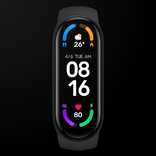
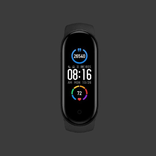
• Watch face catalog with Mi Band 10 frame previews
• Install faces to your band over Bluetooth
• Favorites to save the designs you like
• Built-in help for permissions, Mi Fitness, and install tips
• Pro option: remove ads, unlimited installs, and more favorites
HOW TO INSTALL
1. Pair your Mi Band 10 with official Mi Fitness
2. Open MiB10 WF, pick a face, and tap install
3. Allow Bluetooth (and Location on older Android — used only for BLE scanning)
4. Get your band authentication key via:
• Optional Xiaomi / Mi Fitness sign-in in the app, or
• Manual key entry.
IMPORTANT
• For Xiaomi Mi Band 10
• Not an official Xiaomi app
• Needs Bluetooth; on some Android versions, location permission is only for nearby device discovery
• Free version includes ads and install / favorite limits
• Remove ads and unlock Pro with a Google Play subscription
Need help? Check Help in the app or the linked tutorial.
Developed by MappDev.



One-click to install XAPK/APK files on Android!

Thanks for your rating and feedback!
You have already rated.