Scan Date:Apr 30, 2026
Show More


22.7 MB
File Size
Everyone
Android 10.0+
Android OS
Solinst Levelogger App is designed to communicate to Solinst dataloggers.
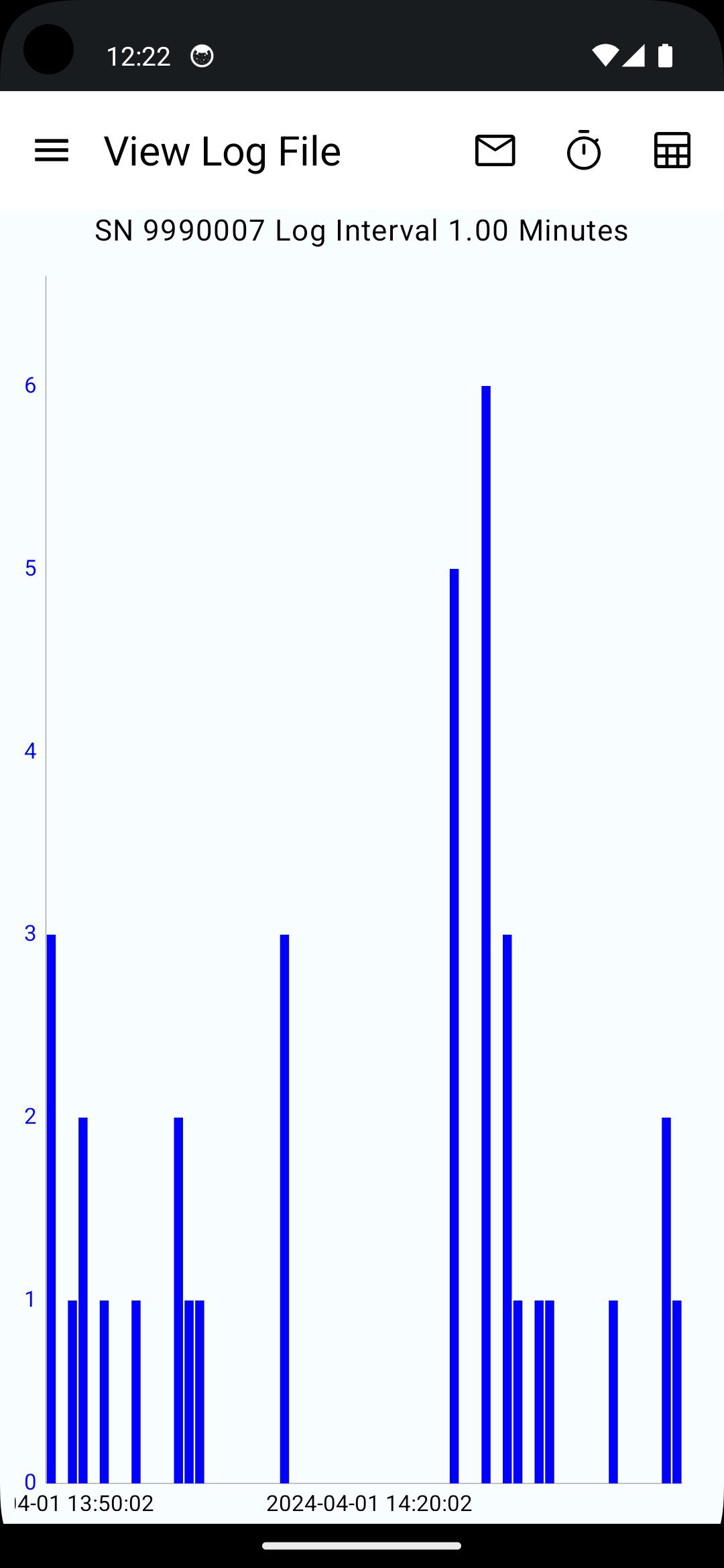
The Solinst Levelogger® App is designed to communicate wirelessly with Solinst dataloggers. It has many programming options, including start/stop, data downloading, scheduled and repeat sampling, future start/stop, and GPS coordinates.
To use the Solinst Levelogger App, you will need to purchase a Levelogger App Interface, which uses a simple hardware connection to the top of a Solinst Direct Read Cable, Adaptor, or LevelVent Wellhead. Your phone or tablet communicates with the Levelogger App Interface via Bluetooth® technology, providing information about the connected datalogger, including battery level, serial number, and firmware.
Files can be sent directly from the App to any email account, or to most File Sharing Apps already installed on your smart device.
Run complete datalogger diagnostics tests using the Levelogger App’s diagnostic utility for all of your Solinst dataloggers.
When monitoring water conductivity using a Levelogger LTC, you may need to calibrate while in the field. This App allows you to run a complete user calibration to ensure the highest accuracy readings.
Advantages of Using the Solinst Levelogger App
- Communicate with your datalogger wirelessly
- Makes data collection very efficient
- Employs the smartphone technology that you are already using
- Eliminates the need to bring a laptop or cumbersome equipment to the field
- Program and start dataloggers right in the field
- View real-time readings, download, e-mail or share logged data files
Levelogger App Interface Device (Hardware Connection to dataloggers)
The Levelogger App Interface uses Bluetooth wireless technology to connect a Solinst datalogger to your smart device. Once connected, you can view data and program the datalogger using the Solinst Levelogger App.
The Solinst Levelogger App and Interface are compatible with the following Solinst dataloggers:
-Levelogger 6 (Firmware 1.000)
- Levelogger 6 Junior (Firmware 1.000)
- Levelogger 6 LTC (Firmware 1.000)
- Barologger 6 (Firmware 1.000)
- Rainlogger 6 (Firmware 1.000)
- LevelVent 6 (Firmware 1.000)
- Levelogger 5 (Firmware 1.007)
- Levelogger 5 Junior (Firmware 1.007)
- Levelogger 5 LTC (Firmware 1.007)
- Barologger 5 (Firmware 1.007)
- Rainlogger 5 (Firmware 1.007)
- AquaVent 5 (Firmware 1.007)
- LevelVent 5 (Firmware 1.007)
- Levelogger Edge (Firmware 3.004)
- Barologger Edge (Firmware 3.004)
- Levelogger Junior Edge (Firmware 3.004)
- LTC Levelogger Edge (Firmware 1.003)
- Rainlogger Edge (Firmware 3.001)
- LevelVent (Firmware 1.000)
- AquaVent (Firmware 1.000)
- Levelogger Gold (Firmware 2.007)
- Barologger Gold (Firmware 2.007)
- Levelogger Junior (Firmware 2.007)
- LTC Levelogger Junior (Firmware 2.005)
- Rainlogger (Firmware 2.000)
Only supported on Android devices using Android 10 (or higher)
Tested on the following devices:
Samsung Galaxy S22
Google Pixel 4A





One-click to install XAPK/APK files on Android!

Thanks for your rating and feedback!
You have already rated.